What Does an E-Scooter Controller Do? A Beginner’s Guide
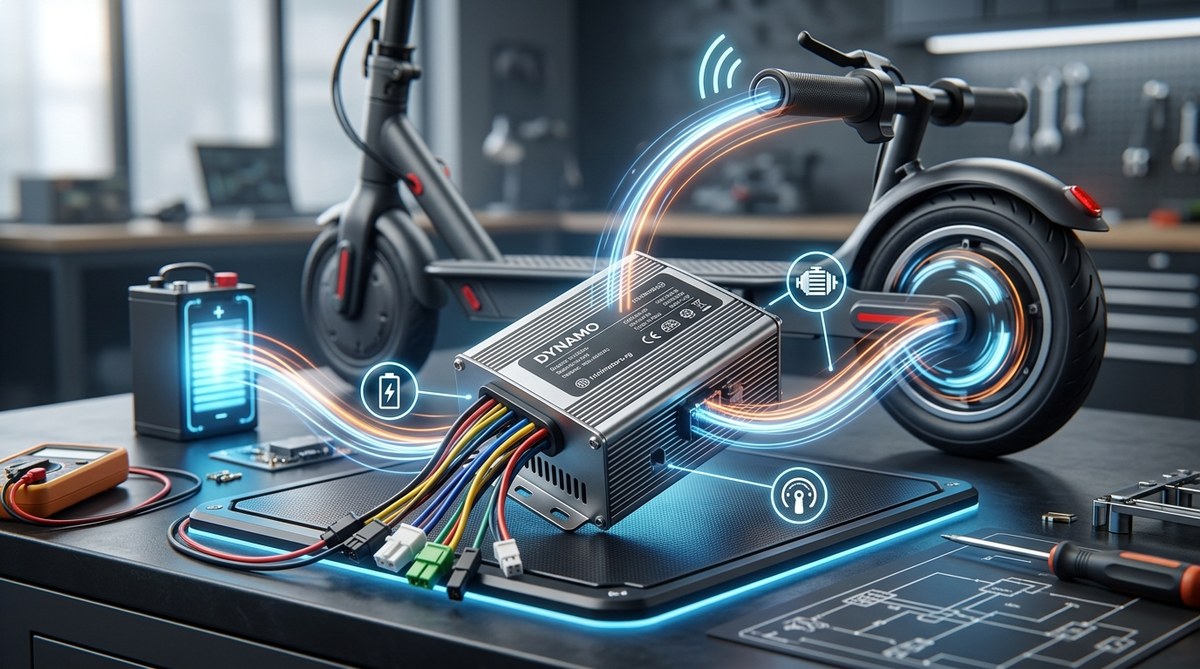
Think of your e-scooter’s controller as the tiny, silent brain that lives inside the deck. Without it, the battery and motor would just sit there, doing nothing useful. Every time you squeeze the throttle, the controller decides how much power to send to the wheel. When you brake, it tells the motor to slow down. It even helps the scooter stay stable on hills. For a new rider, the controller can feel like a mystery, but understanding its job makes you a smarter owner and a better troubleshooter.
The electric scooter controller is the component that manages power flow from the battery to the motor based on your throttle input, brakes, and riding mode. It regulates speed, enables smooth acceleration, and protects the battery from overcurrent. Knowing its basic functions helps you diagnose issues like jerky starts, sudden cutouts, and error codes before calling a repair shop.
What Is an Electric Scooter Controller?
An electric scooter controller is a small electronic board usually sealed inside the deck near the battery. It acts as the intermediary between the battery, motor, throttle, brakes, and display. The controller reads signals from the throttle (how much you’re twisting) and the brake levers, then sends the right amount of electrical current to the motor.
Controllers come in two main types: sine wave and square wave. Sine wave controllers deliver power more smoothly, which means quieter and more comfortable rides. Square wave controllers are cheaper but can cause a jerky feeling at low speeds. Most modern scooters from reputable brands use sine wave controllers.
How Does the Controller Actually Work?
The controller uses a technique called Pulse Width Modulation (PWM). Instead of sending a constant stream of power, it turns the current on and off many times per second. By varying how long the “on” pulses are (the duty cycle), the controller changes the motor’s speed.
- When you barely twist the throttle, the pulses are short, so the motor gets little power.
- When you twist all the way, the pulses are long, delivering full power.
The controller also monitors the motor’s position using Hall effect sensors inside the motor. These sensors tell the controller exactly where the rotor is, so it can energize the right coil at the right moment. This coordination makes the motor spin efficiently.
Key Functions of the Controller
Acceleration control. The controller ramps up power gradually even if you yank the throttle. This prevents the motor from jolting you forward. Some high-end scooters let you adjust this ramp time through a smartphone app.
Regenerative braking. When you engage the electronic brake, the controller reverses the motor’s role to act as a generator. It sends energy back to the battery, slowing you down and reclaiming a little range. Not all controllers support this, but it’s common in 2026 models.
Speed limiting. The controller can cap the top speed based on your riding mode (eco, sport, turbo) or local laws. If your scooter has a speed limiter switch, the controller enforces it.
Under-voltage and over-current protection. To protect the battery, the controller cuts power if the voltage drops too low (battery nearly dead) or if you try to draw too many amps (steep hill, heavy rider). This is why some scooters suddenly slow down on a climb.
Common Controller Problems and What They Mean
Below is a table that matches typical symptoms with likely causes you can check as a beginner.
| Symptom | Likely Controller Issue | Easy Check |
|---|---|---|
| Scooter doesn’t respond when throttle is pressed | Controller not receiving power | Check battery charge and main fuse |
| Jerky or surging acceleration | Square wave controller or loose throttle connection | Try recalibrating throttle in app or service |
| Motor stutters or cuts out at low speed | Hall sensor wire broken inside controller harness | Inspect wire bundle for damage |
| Display shows error code (e.g., E1, E2) | Controller or motor phase short | Count flashes and consult manual |
| Brake engages when throttle is released | Controller misreading brake sensor | Check if brake lever is slightly pulled |
If you see any of these, don’t panic. Many are fixable with a simple reset or wire replacement.
Signs Your Controller Might Be Failing
- The scooter turns on but the motor doesn’t spin even after twisting the throttle.
- You smell burnt electronics when riding hard.
- The scooter behaves normally for a few minutes, then suddenly loses all power.
- The motor makes a grinding noise when accelerating.
- The display flickers or stays blank even though the battery is full.
In those cases, the controller may have overheated or suffered a short circuit. Controllers can fail due to water ingress, prolonged hill climbing without cooling, or a faulty battery that sends voltage spikes.
How to Troubleshoot a Controller Issue (Step by Step)
Follow these steps to narrow down whether the controller is the problem.
- Turn off the scooter and disconnect the battery. Always disconnect the battery first to avoid short circuits.
- Visually inspect the controller. Look for burnt marks, swollen capacitors, or melted wires. If you see damage, it needs replacement.
- Check all connectors. Unplug and reconnect the throttle, motor phase wires, and Hall sensor connector. Corrosion or loose pins can mimic controller failure.
- Test the throttle. If you have a multimeter, measure resistance at the throttle signal wire while twisting. No change means the throttle is bad, not the controller.
- Listen for beeps. Many scooters beep error codes at startup. Count the beeps and look up the code in your manual.
- Try a factory reset. Some controllers allow reset by holding the power button for 10 seconds. This can clear a temporary glitch.
Expert advice: Never replace a controller with a higher-rated one unless you also upgrade the battery and motor. A bigger controller can push too much current through a stock motor, burning it out within minutes. Always match the controller’s rated voltage and current to your existing system.
How to Protect Your Controller
The controller lives inside the deck, so it’s vulnerable to water and impact. Here are ways to keep it healthy:
- Avoid riding through deep puddles or using a pressure washer near the deck.
- If your scooter isn’t IP54 rated, add a silicone sealant around the deck seams.
- Let the scooter cool down after a long ride before charging. Hot components plus charging stress can damage the controller.
- Keep your battery healthy. A failing battery with large voltage fluctuations can overload the controller. Learn more about battery care in our guide to how long e-scooter batteries actually last.
When to Consider Upgrading the Controller
Some riders swap out the stock controller for better performance. This is common on scooters where you want more torque or a higher top speed. But upgrading isn’t as simple as plugging in a new box. You need to consider:
- Voltage compatibility. The controller must match the battery pack’s nominal voltage (36V, 48V, 60V). Learn more in our article on understanding e-scooter battery voltage.
- Phase current limits. A controller rated for 25A will push more torque than a 15A one, but it requires a battery that can deliver that current without sagging.
- Space constraints. Aftermarket controllers are often larger. Check the dimensions inside your deck before buying.
For most beginners, the stock controller is fine until it fails. Only consider upgrading if you’ve already upgraded the motor or battery and need to unlock their full potential.
Take Charge of Your Ride
Understanding your e-scooter controller doesn’t make you a mechanic, but it makes you an informed rider. When something feels off, you can quickly decide if it’s a controller issue or something simpler like a loose wire or empty battery. That knowledge saves time and money.
Keep this guide handy the next time your scooter acts up. And if you’re shopping for a new scooter, pay attention to the controller type. A sine wave controller with good thermal management will give you miles of smooth, trouble free riding. Now go enjoy the ride, and let the controller do the thinking.
