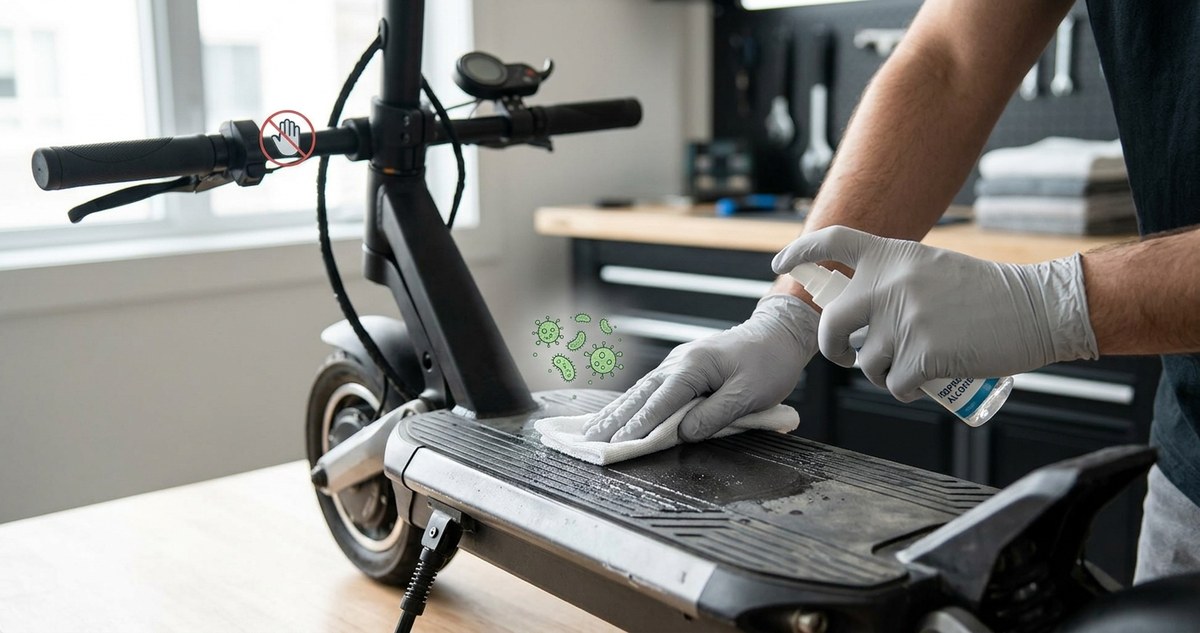
Your E-Scooter Deck is a Germ Magnet: Here’s How to Sanitize It Without Damaging Electronics
Your e-scooter deck sees more action than your kitchen floor. Shoes that just stepped off a subway grate, splashes from a gutter puddle, coffee drips from your morning commute. It all lands right where you stand. And while you probably wipe down your countertops without thinking, your scooter deck might be hosting bacteria you would not want near your dinner plate. The good news is you can sanitize it without sending water into the battery compartment or fogging up the display. You just need the right method.
Water is the enemy of your e-scooter’s internal electronics, but a dry microfiber cloth and isopropyl alcohol can kill germs safely. Always power down the scooter, remove the battery if possible, and seal the charging port before you clean. Focus on the deck and handlebars with a damp not wet cloth, and let everything air dry before you ride again.
Why your e-scooter deck is a germ magnet
Think about everything your shoes touch in a single day. Public restroom floors. Sidewalk gum. Spilled soda on a bus stop bench. Then you step onto your scooter deck and transfer all of that directly onto the surface where your hand might rest when you carry the folded scooter. A 2022 study from the University of Arizona found that shoe soles carry an average of 421,000 bacteria per square inch. That number has not improved since then.
The deck is not the only worry. The handlebars and throttle get constant contact from your palms, which sweat even when you do not feel it. And the display, while you probably touch it less often, can trap grime in the bezel edges. A hygiene-conscious rider in 2026 knows that a clean scooter is not just about looks. It is about not bringing public transit germs into your home.
The golden rule of cleaning electronics
Before you grab any spray bottle, memorize this rule: never spray liquid directly onto your scooter. The deck may look like a solid slab, but there are seams around the battery compartment, the wiring channel, and the stem hinge. Water finds those seams. Once moisture reaches the controller board or the battery management system, you are looking at a repair bill that costs more than the scooter itself.
Instead, you always apply the cleaner to a cloth first. That single habit will save you hundreds of dollars and a lot of frustration.
What you need to clean safely
Gather these items before you start. Using the wrong tool is the fastest way to damage your ride.
- Microfiber cloths (at least two, preferably three)
- Isopropyl alcohol (70% concentration is ideal)
- Distilled water (tap water leaves mineral spots)
- A soft bristle brush (an old toothbrush works well)
- Cotton swabs
- A small sealable plastic bag and a rubber band
Do not use bleach, hydrogen peroxide, or any abrasive cleaner. Do not use paper towels on the display. The fibers can scratch the screen coating.
Step by step: how to clean an electric scooter without damaging electronics
Follow this sequence every time. It minimizes risk and maximizes results.
-
Power down and disconnect. Turn off the scooter completely. If your model has a removable battery, take it out. Set it aside on a dry surface. This step alone eliminates the biggest electrical risk.
-
Seal the charging port. Take your small plastic bag and rubber band. Cover the charging port completely. Tape is okay if you are careful, but a bag is better because it does not leave residue. Do not skip this. Charging ports are wide open invitations for moisture.
-
Dry wipe the entire scooter. Use your first microfiber cloth to remove loose dirt, dust, and grit. Pay attention to the deck grip tape. Grip tape holds onto everything. A dry brush can help loosen the debris before you wipe.
-
Prepare your cleaning solution. Mix one part isopropyl alcohol with one part distilled water. This ratio is strong enough to kill bacteria but gentle enough to avoid stripping paint or damaging rubber seals. Do not use straight alcohol on painted surfaces. It can dull the finish over time.
-
Dampen your cloth, not soak it. Spray the solution onto the microfiber cloth until it is damp, not dripping. Wring it out if you have to. The cloth should feel moist to the touch but not release water when you squeeze it.
-
Clean the deck and handlebars first. Wipe the deck surface with firm pressure. For the grip tape, use the soft brush to scrub along the grain. Follow up with the damp cloth. The handlebars, throttle, brake lever, and stem all get the same treatment. Avoid the display for now.
-
Tackle the display with care. The display is the most sensitive part. Use a separate dry microfiber cloth. If you need moisture, barely breathe on the cloth or use a dedicated electronics wipe. Do not press hard. LCD and OLED screens can develop pressure marks.
-
Cotton swab the crevices. Dip a cotton swab into your alcohol solution and squeeze off the excess. Clean around the buttons, the charging port edges (after removing the bag), and the folding latch. These spots collect greasy residue that a cloth cannot reach.
-
Let everything air dry. Leave the scooter unfolded and upright for at least 30 minutes. Do not rush this. Trapped moisture needs time to evaporate. If you live in a humid climate like Florida or the Gulf Coast, give it a full hour.
-
Reinstall the battery and inspect. Once dry, put the battery back in. Power on the scooter. Check that the display lights up, the throttle responds, and the brake sensors work. If anything seems off, power down again and let it dry longer.
What not to do: common mistakes that ruin electronics
Some cleaning habits that work fine on a car or a bicycle will destroy an e-scooter. Here is a table that shows the difference between a safe approach and a dangerous one.
| Action | Safe method | Risky method |
|---|---|---|
| Cleaning the deck | Damp cloth with alcohol | Spraying cleaner directly onto the deck |
| Washing the wheels | Mild soap on a rag, avoid the hub motor | Pressure washer or garden hose |
| Disinfecting the handlebars | Alcohol on a cloth | Bleach wipes left on the surface |
| Drying after cleaning | Air dry for 30 to 60 minutes | Towel drying that pushes water into seams |
| Charging port care | Sealed with a bag before cleaning | Left open, water drips in |
“If you take one thing away from this guide, let it be this: never spray anything onto your scooter. Always spray onto the cloth. I have seen dozens of warranty claims denied because someone thought a light misting was harmless.”
* Senior technician at Minimotors service center, 2026
How often should you clean your e-scooter?
Your cleaning schedule depends on how you use the scooter.
- Daily commuter in a city: Wipe down the handlebars and deck once a week. Do a full deep clean every two weeks.
- Weekend recreational rider: A full clean once a month is usually enough.
- After riding in wet conditions: Clean and dry the scooter the same day. Do not let mud or standing water sit overnight.
- Seasonal deep clean: At the start of each season, go through the full step by step process. Pay extra attention to the folding mechanism and brake pivot points.
If you share your scooter with a family member or friend, clean it before and after each shared ride. That is the simplest way to avoid passing germs around.
Protecting your battery during cleaning
The battery is the most expensive part of your scooter. A replacement can cost anywhere from $200 to $600 depending on the model. Keeping it dry is priority one.
When you remove the battery, check the rubber gasket around the compartment. If the gasket is cracked or compressed, it will not seal properly. A damaged gasket lets moisture in even when you are careful. Replace it if you see any wear. You can find compatible gaskets online or through the manufacturer.
Never clean the battery terminals with a wet cloth. If you see corrosion on the terminals, use a dry cotton swab and a tiny amount of rubbing alcohol. Let it evaporate completely before you reinsert the battery.
What about the tires and wheels?
Tires collect road grime, but they do not need the same level of sanitization as the deck or handlebars. A damp cloth with a little dish soap works fine for the tire sidewalls. Avoid getting soap on the braking surface of the wheel rim if your scooter has disc brakes. Soap residue can reduce braking performance.
For the hub motor, just wipe the exterior. Do not try to clean inside the motor housing. That area is sealed at the factory, and any attempt to open it will void your warranty.
Display care for different screen types
Not all e-scooter displays are the same. Some use a basic LCD panel. Others use a more sensitive OLED screen. A few higher end models have a full color TFT display.
- LCD and TFT displays: A dry microfiber cloth is usually enough. If you need extra cleaning power, use a solution made specifically for electronics screens. Do not use window cleaner or vinegar.
- OLED displays: These are more delicate. Use only a dry cloth. If there is a stubborn smudge, breathe lightly on the screen to create a tiny amount of condensation, then wipe gently. Never press hard.
- E-ink displays: Rare on scooters but appearing on some 2026 models. E-ink screens are very sensitive to pressure. Wipe them with a feather light touch.
A note on disinfectants
The post pandemic world made us all more aware of germs, and that is a good thing. But not every disinfectant is safe for your scooter. Alcohol based wipes are fine for occasional use, but the chemicals in them can break down rubber grips and plastic housings over time. Rotate between alcohol wipes and plain water to extend the life of your scooter’s soft parts.
If you want a more natural option, a very diluted vinegar solution works as a mild disinfectant. Use one part white vinegar to three parts distilled water. The smell fades quickly. Do not use vinegar on the display screen. It can strip the anti glare coating.
Keeping your cleaning routine simple
You do not need a garage full of specialty products. A small cleaning kit that fits in your backpack makes it easy to stay on top of things. Here is what you can carry:
- A travel size spray bottle with your alcohol and water mix
- Two microfiber cloths in a zip pouch
- A few cotton swabs in a small bag
- A rubber band and a snack size zip bag for the charging port
With this kit, you can do a quick clean at your desk after a commute or at a park bench before you fold the scooter and head inside.
Final thoughts on a clean ride
Your e-scooter is a machine, but it is also a personal space. Keeping it clean protects your health and your investment. The process is not complicated. Power down, seal the port, use a damp cloth, and let it dry. Those four steps cover 90 percent of the risk.
If you ever feel unsure about a particular cleaning product or method, check the manufacturer’s guidelines for your specific model. When in doubt, err on the side of less moisture. A slightly dirty scooter still works. A water damaged scooter does not.
Take care of your ride, and it will take care of you through thousands of miles.
